Microsoft
 6
6✦ AI recommendationSchedule a discovery call with Diana
 monday CRM
design system · study copy · 12 Oct 2026
monday CRM
design system · study copy · 12 Oct 2026
monday CRM is monday's sales product: leads, contacts, accounts, deals and a pipeline, with emails, calls and AI agents built in. It runs on the same monday platform and the same design system (Vibe) as monday.com, inside a calmer, light teal frame. This page shows what is special about the CRM, rebuilt from monday's own pictures.
#DDECF0 top bar, teal-to-white side menu measured#0F748F teal inside the contact card measured#CBE9EC chips with an icon measuredThey are two products you buy separately, built on one platform. Everything below the frame (boards, buttons, menus, icons) is the same Vibe design system; what changes is the frame, the boards you start with, and the sales parts.
#ECEFF8#DDECF0, side menu fading white to #E3F0F3 measuredLeft: monday's own picture. Right: our copy, built only from the design-system files. Every copy works: open one full size to click, fold, drag or switch theme, and use its slider to compare with the original.
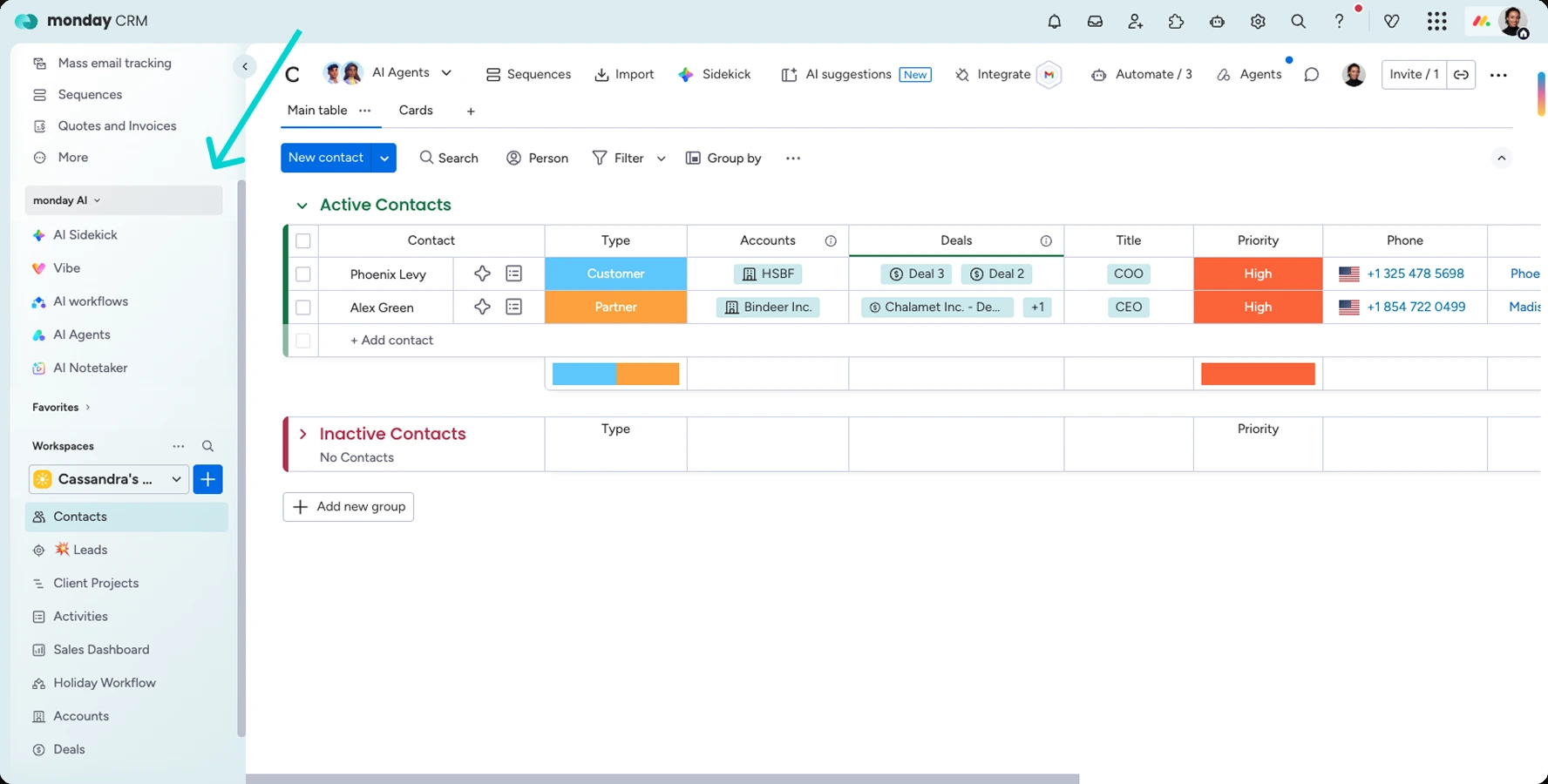
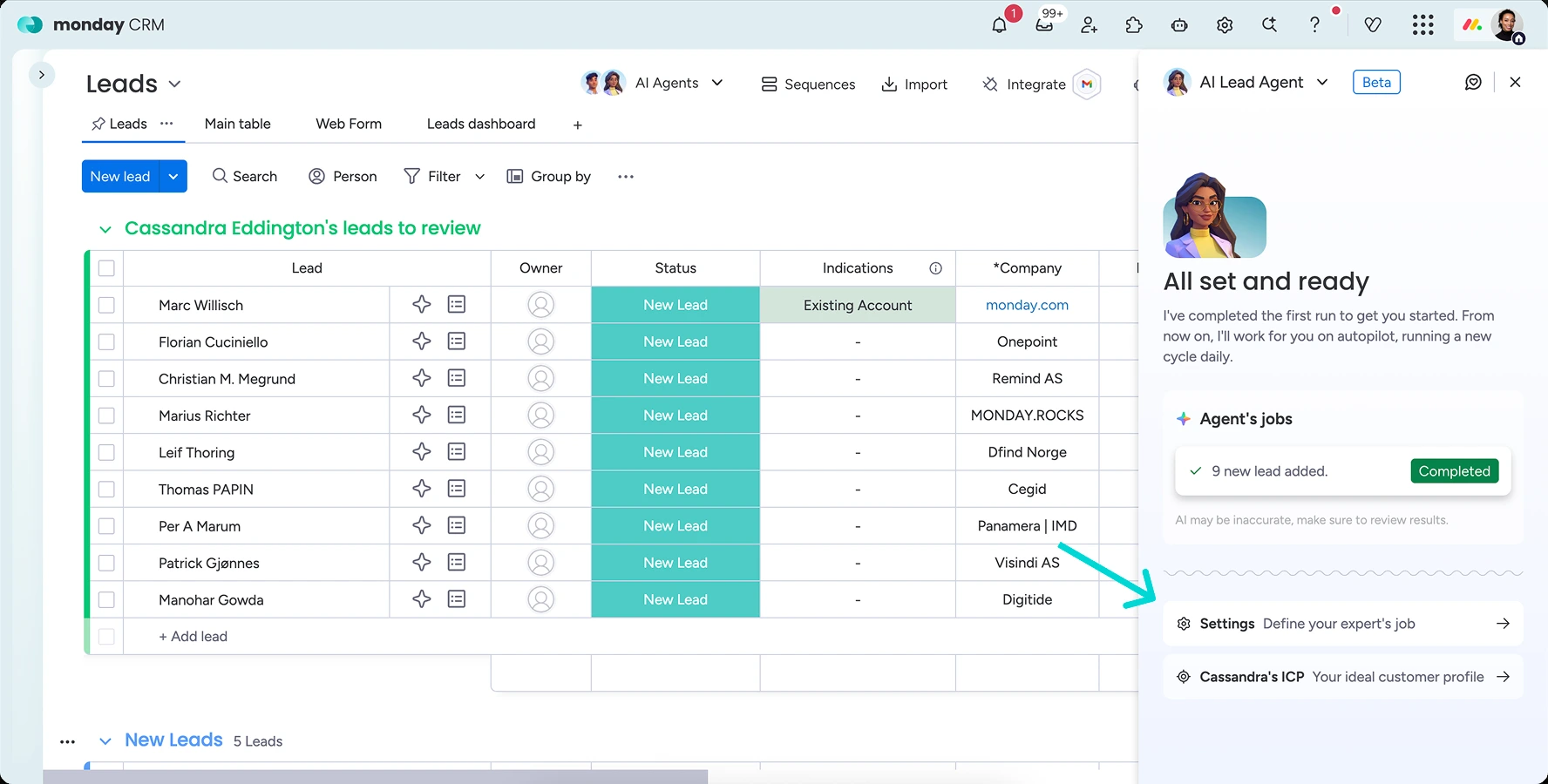
#0472E9 = Vibe #0073EA, "New Lead" #4DCCC5 = aquamarine #4ECCC6), which proves the CRM uses Vibe's colours. The copy is compared with the corrected picture.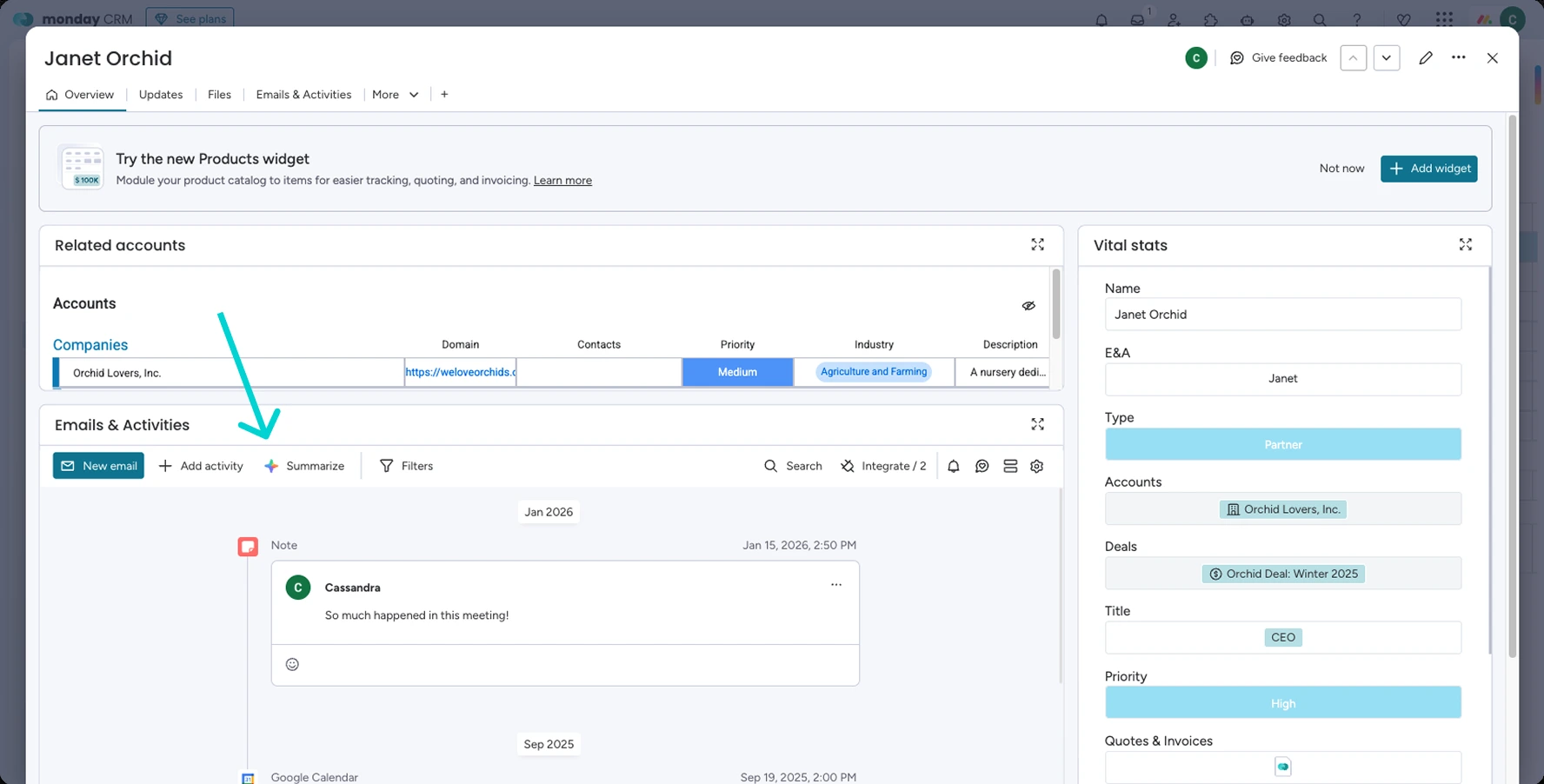
#0F748F (New email, Add widget, the open tab's line), not the usual blue; the Related accounts table is drawn in Roboto.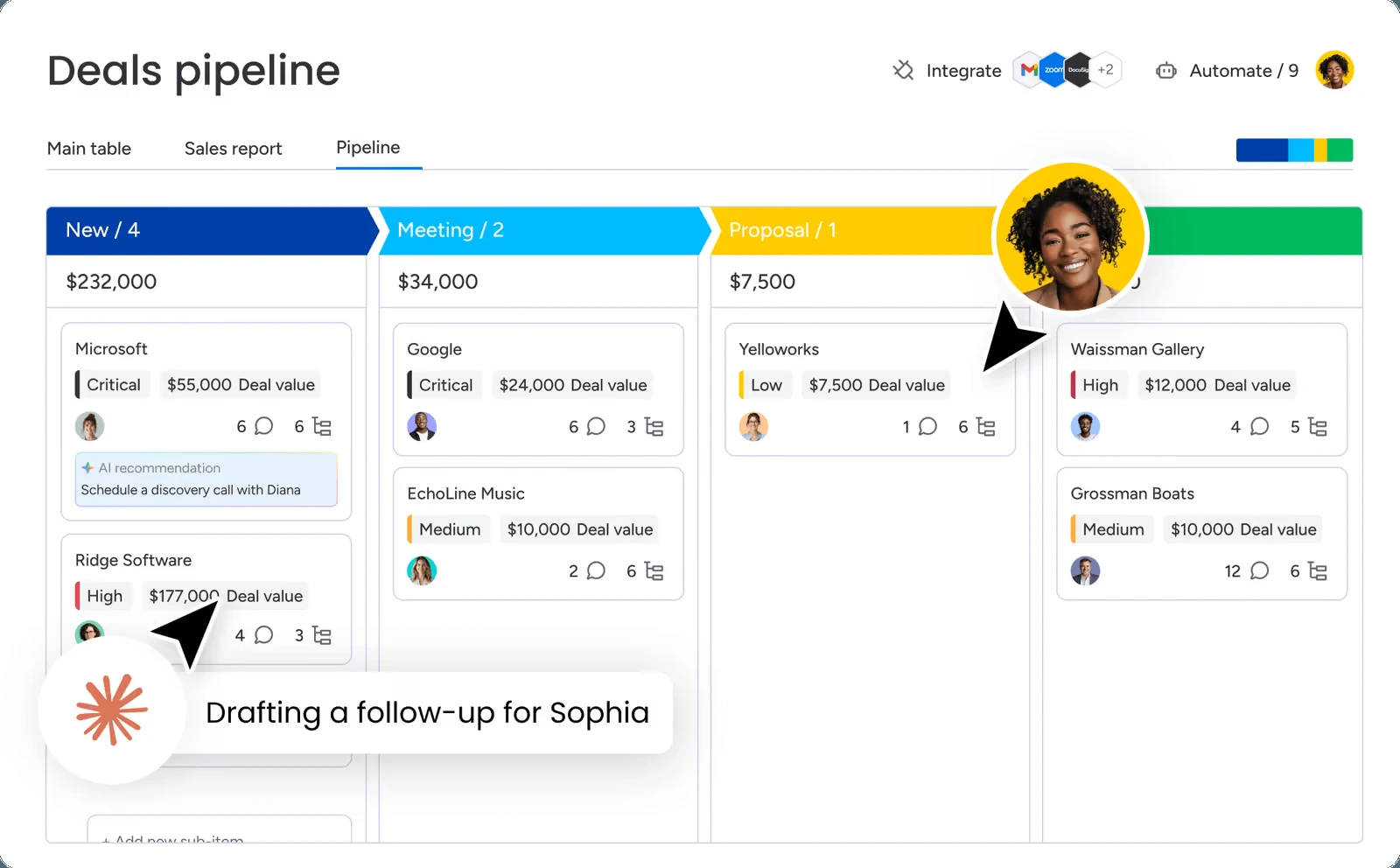
#003FA7, #00BAFF, #FFCC00, #00BB5F) are monday's brand colours, measured, not Vibe status tokens.monday's own help-centre pictures of monday CRM (web-archive copies, 2025-2026). Click one to see it full size.
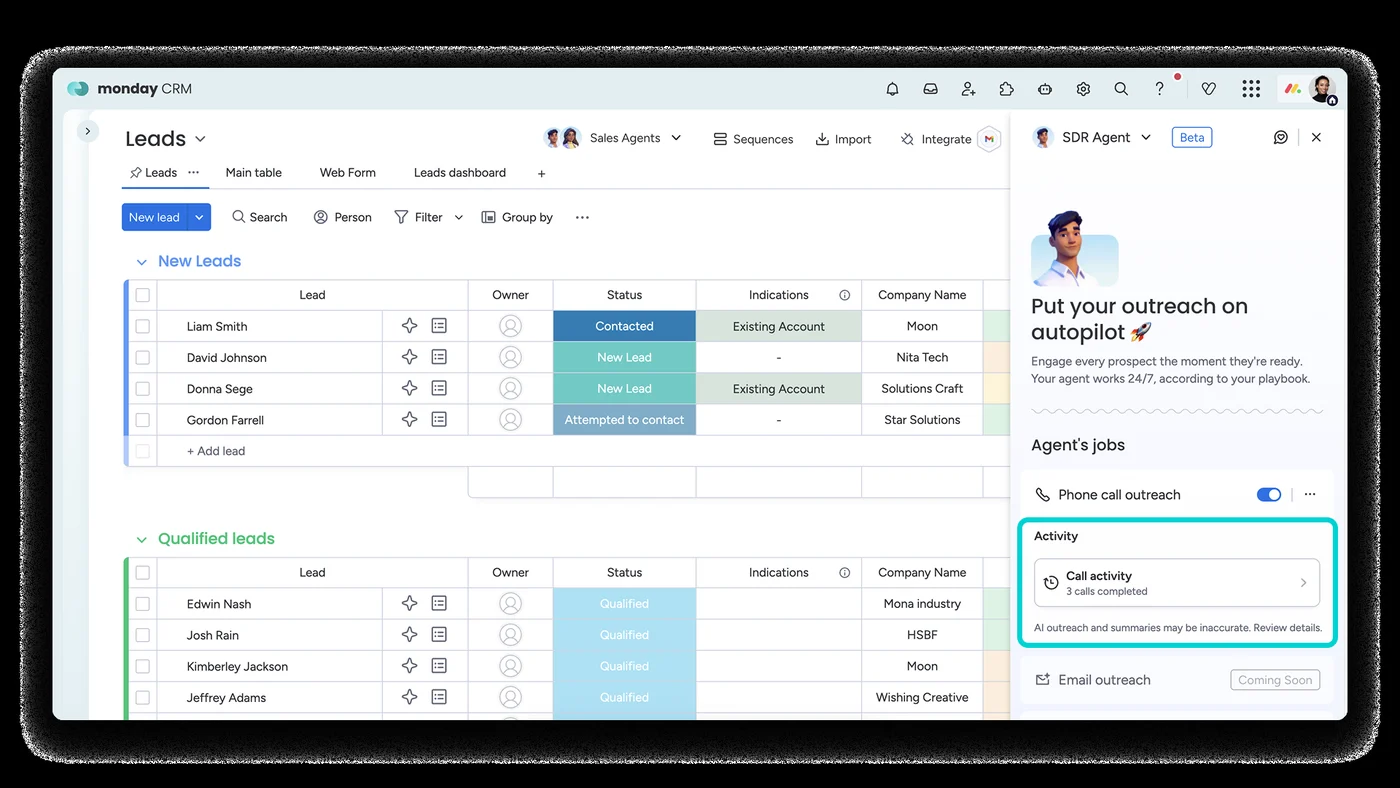 Leads in groups (New, Qualified) with the AI Sales Agent
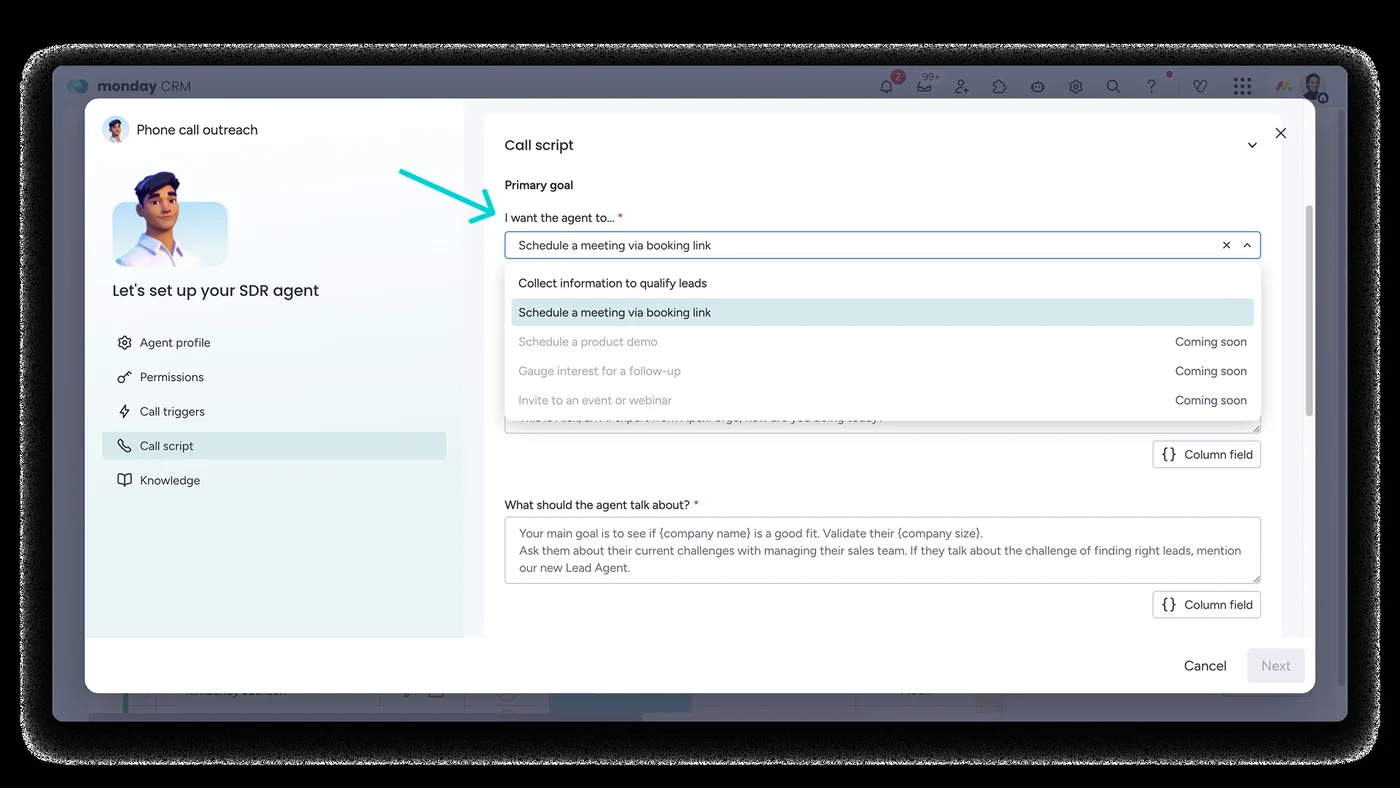 Setting up an AI sales agent: goal, call script, knowledge
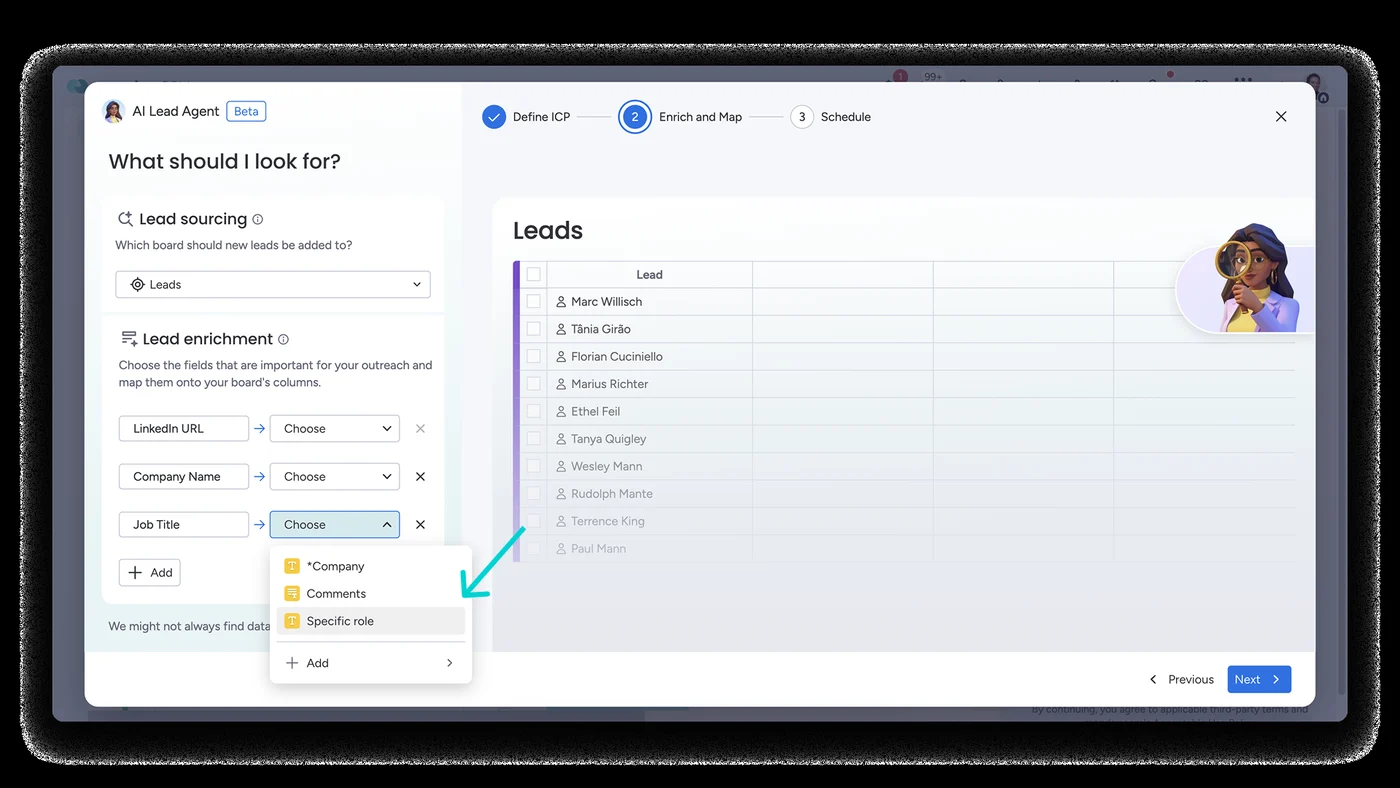 Lead Agent: "What should I look for?" (ideal customer)
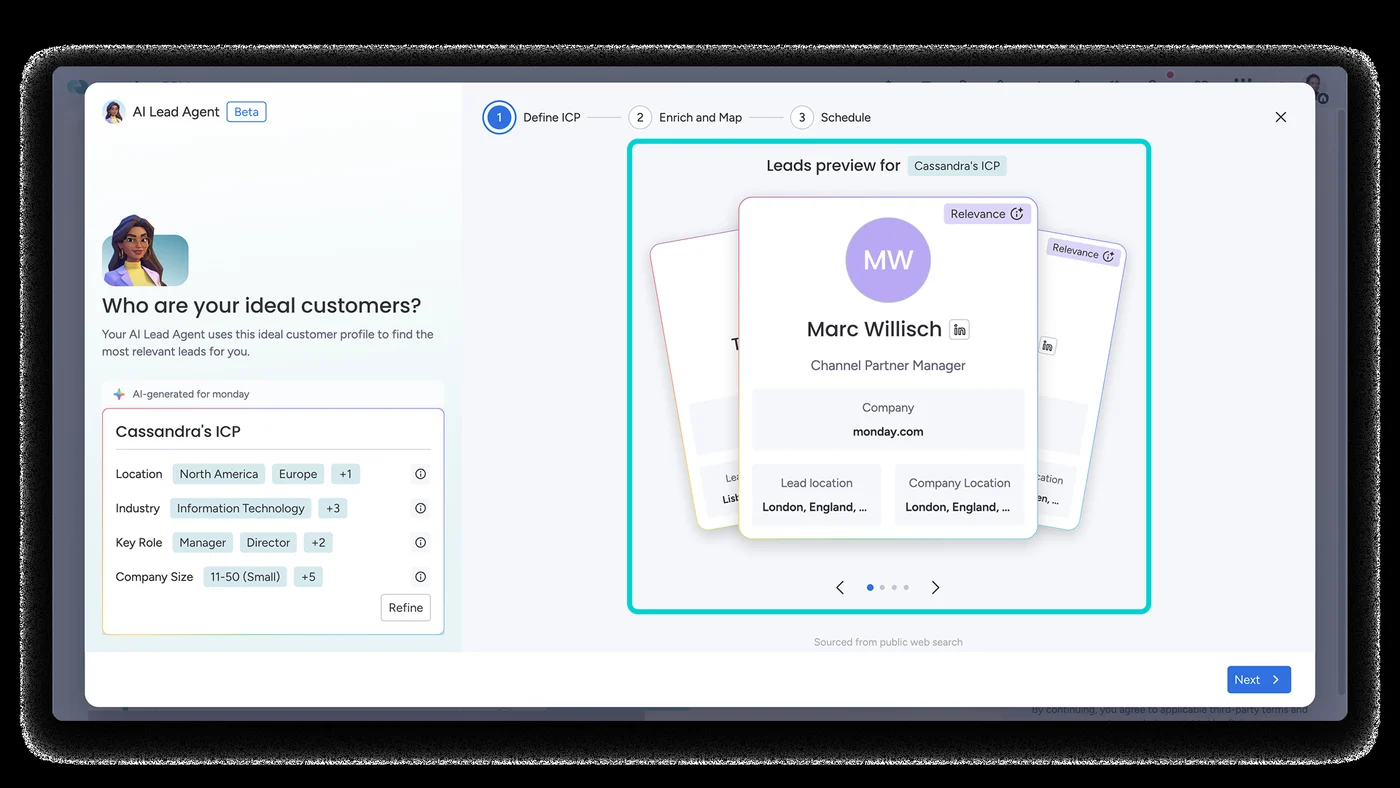 Lead Agent: preview of the leads it found
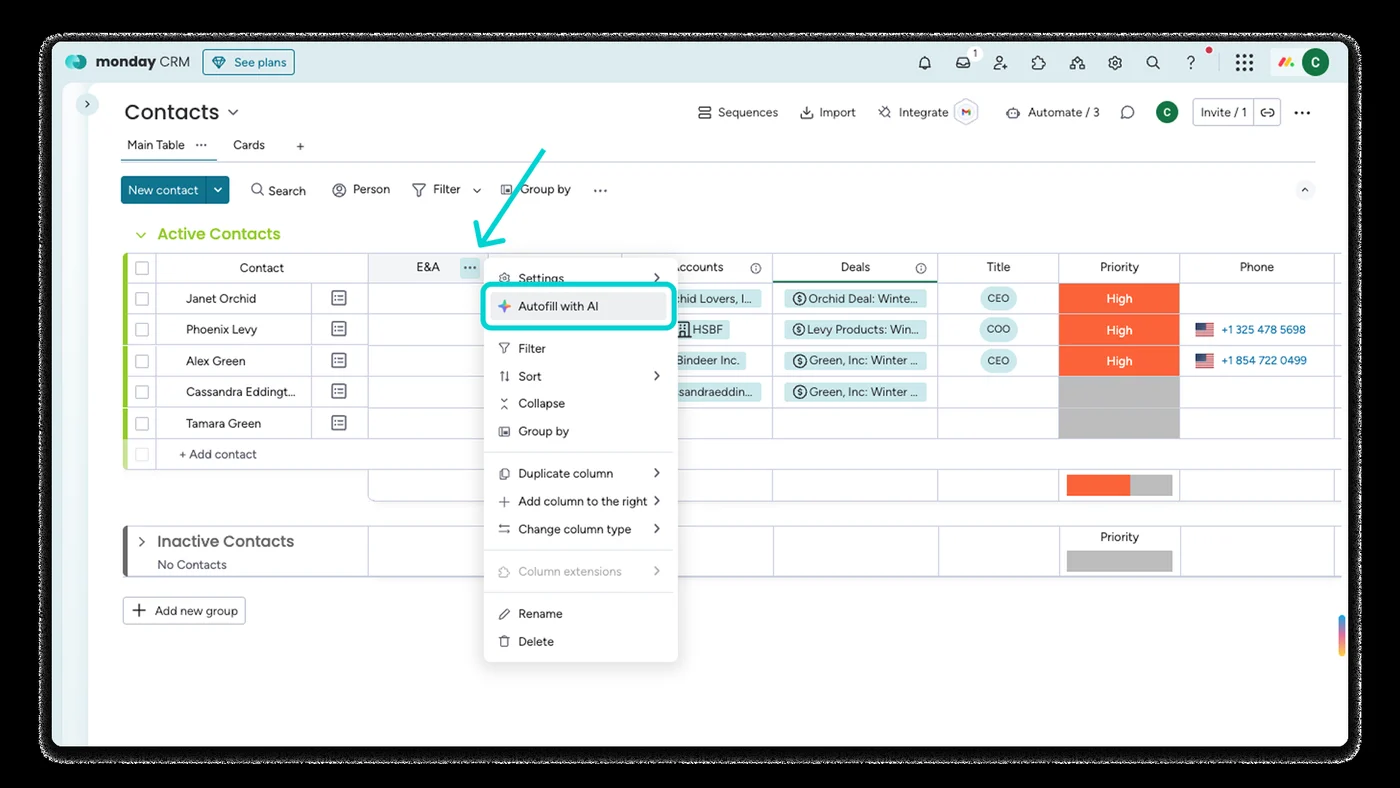 Contacts: column menu with "Autofill with AI"
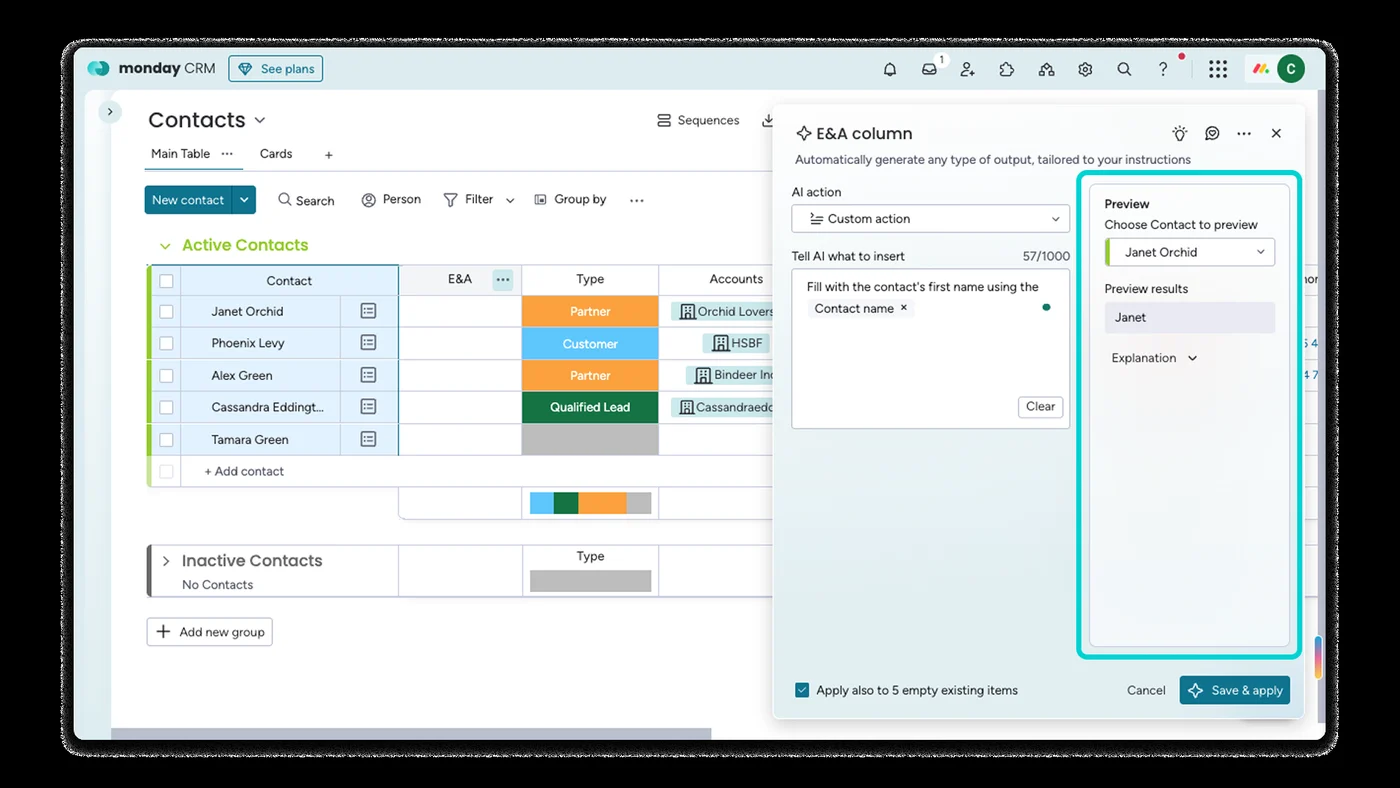 Contacts: setting up an AI column from Emails & Activities
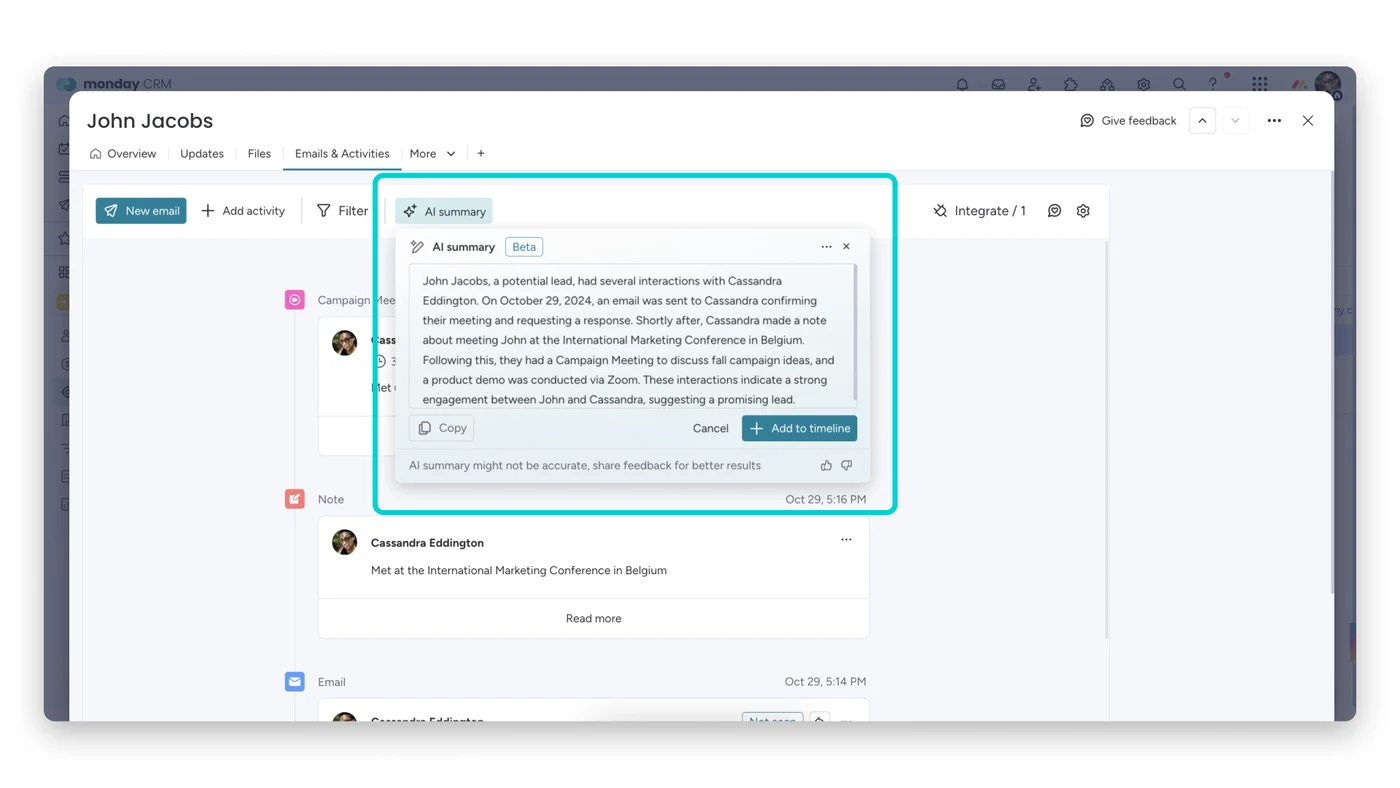 Emails & Activities: AI summary of a contact's history
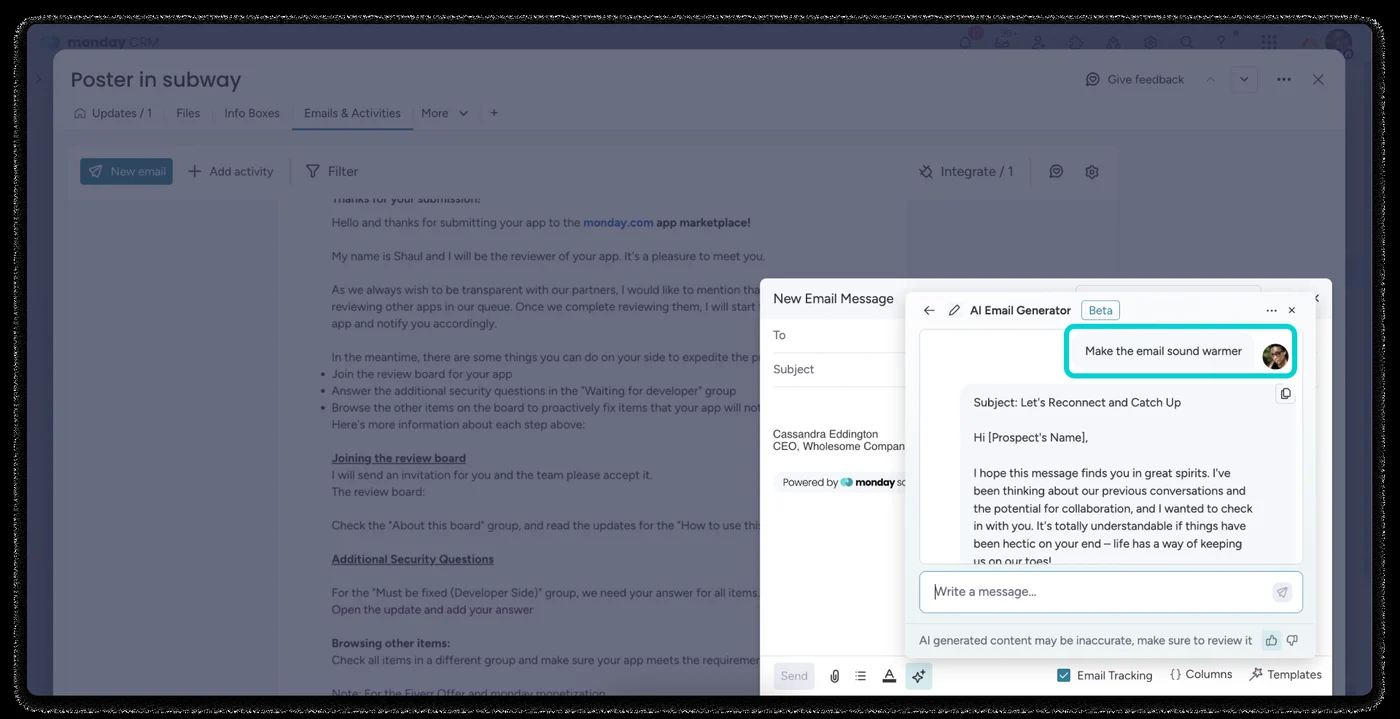 Emails & Activities: AI email composer
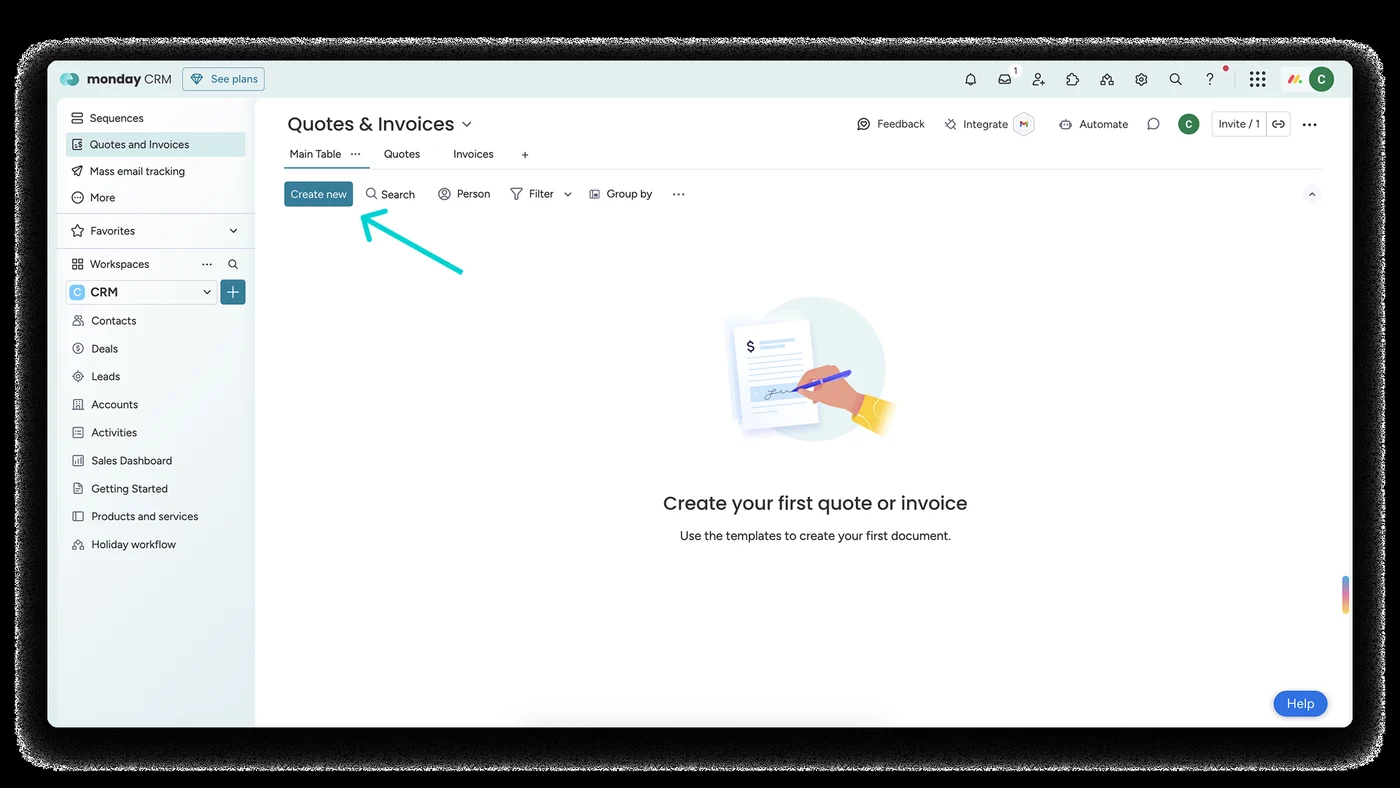 Quotes & Invoices board: first-time empty state
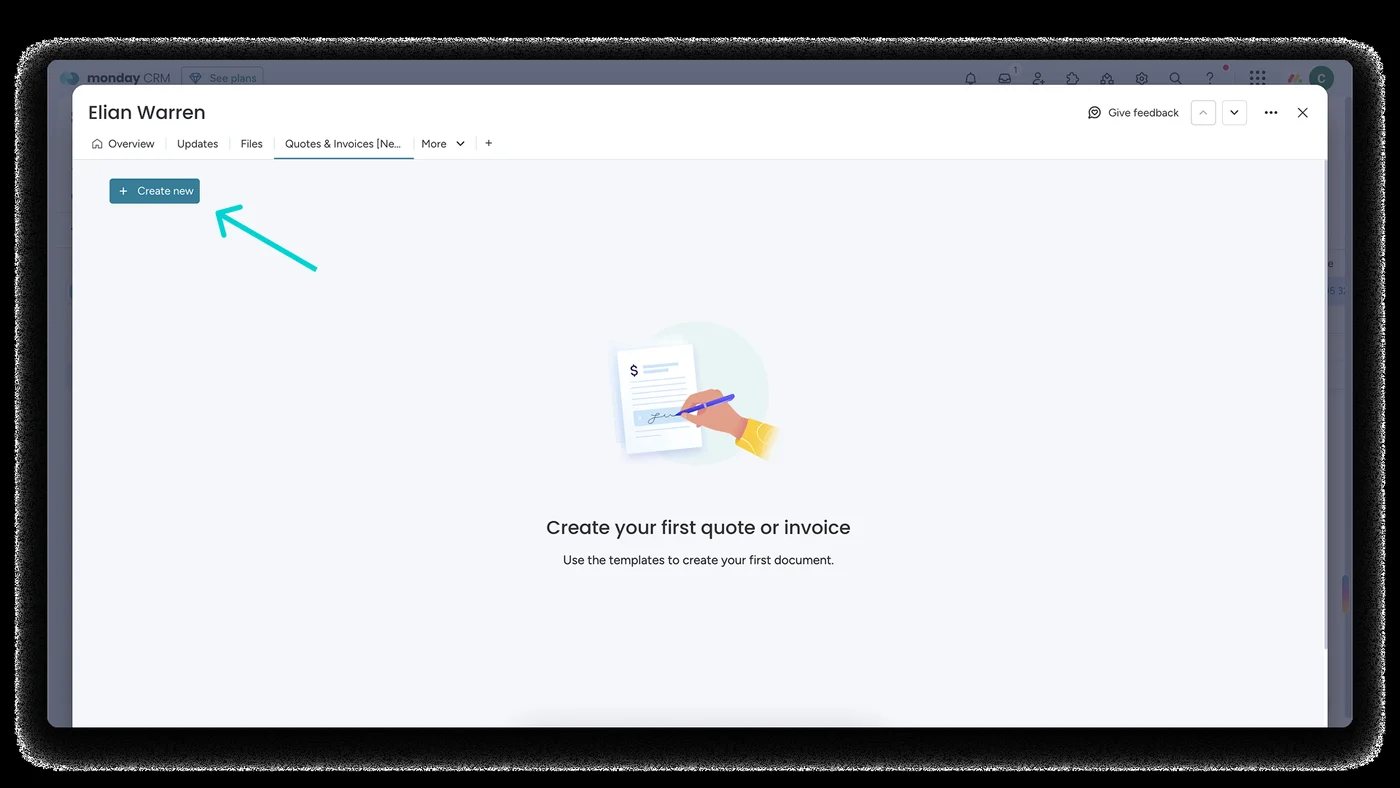 Creating a quote from inside a deal
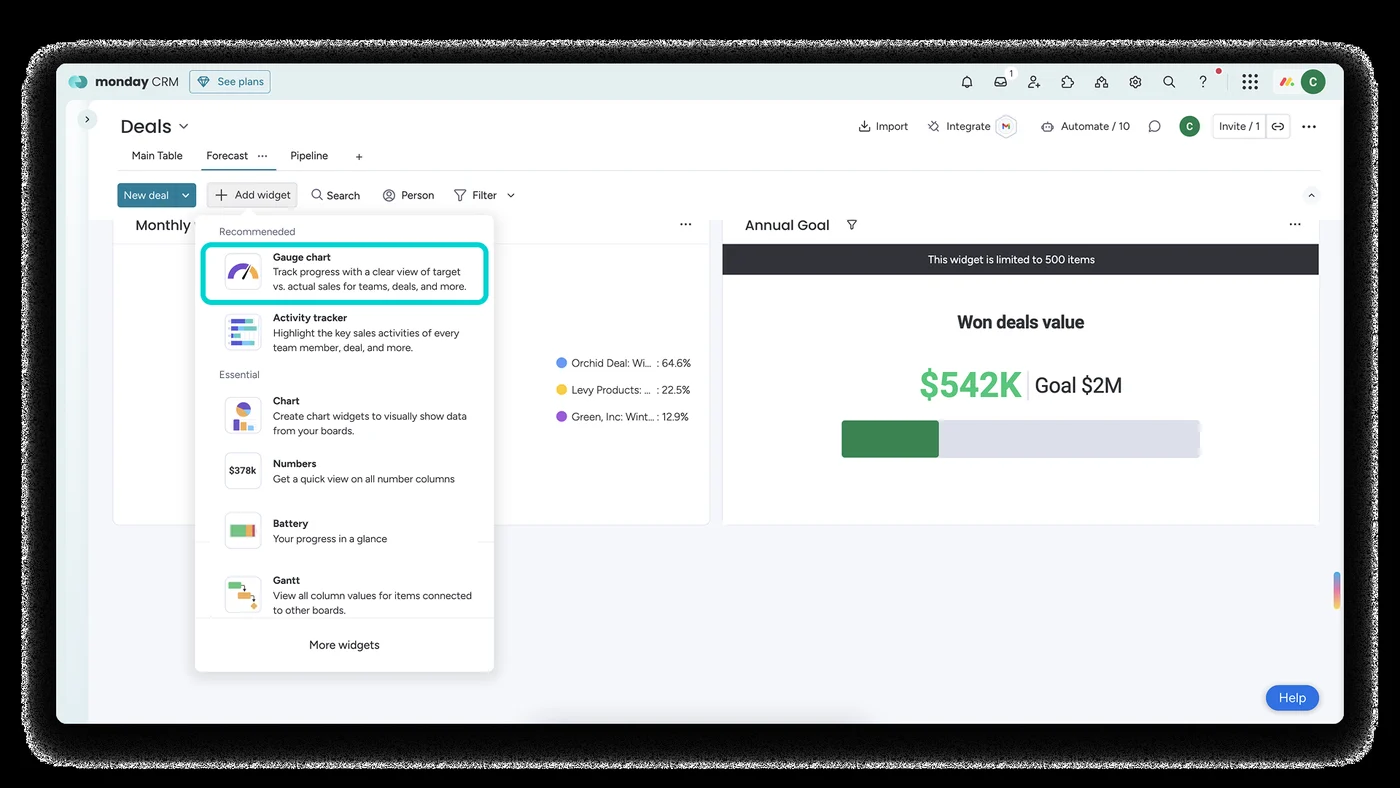 Sales dashboard: won deals value against the goal
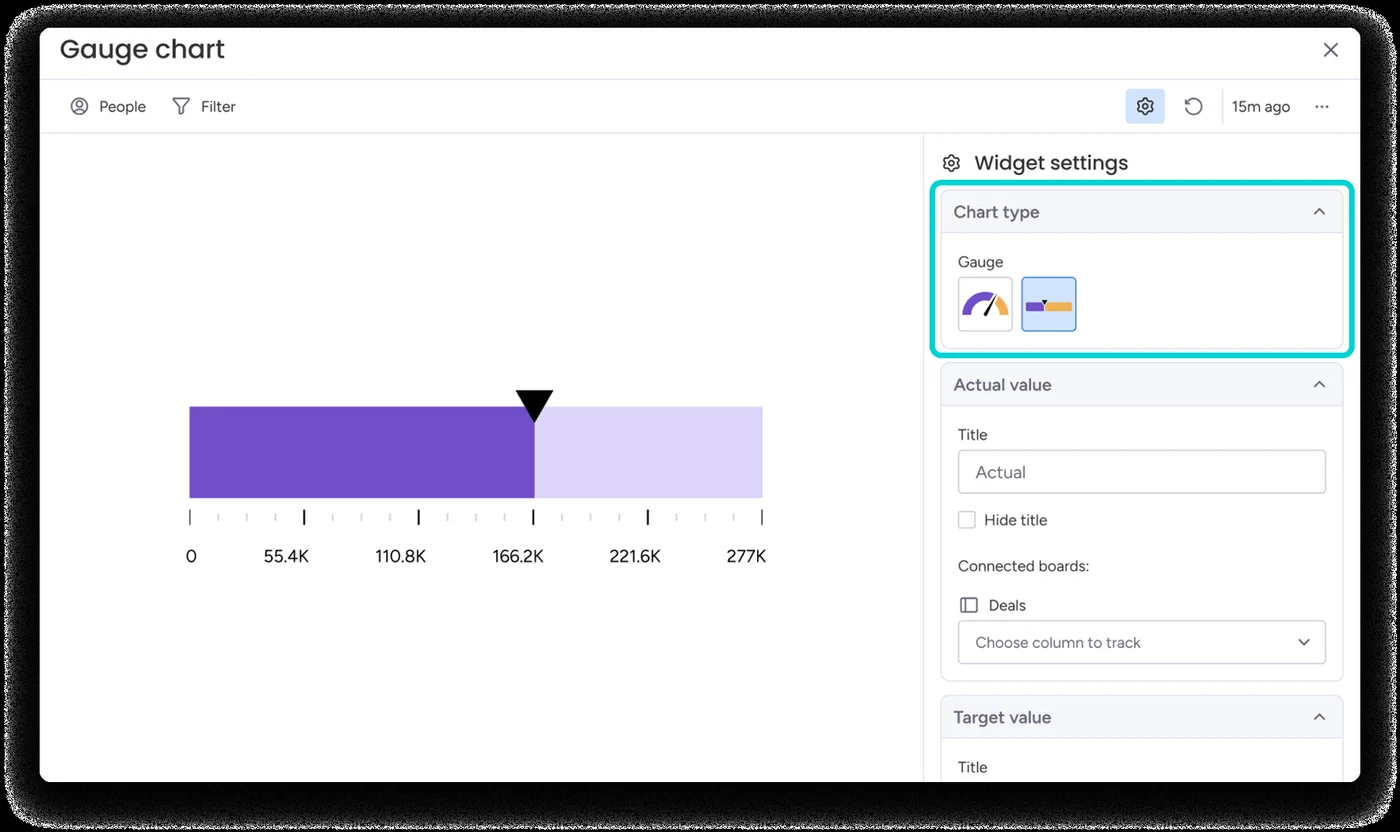 Sales gauge widget with its settings
Polished pictures from monday's CRM web pages. They show where the product is going (agents everywhere), but they are drawn for advertising, so they are not used for measuring. 143 pictures and 2 videos were collected; these are the clearest.
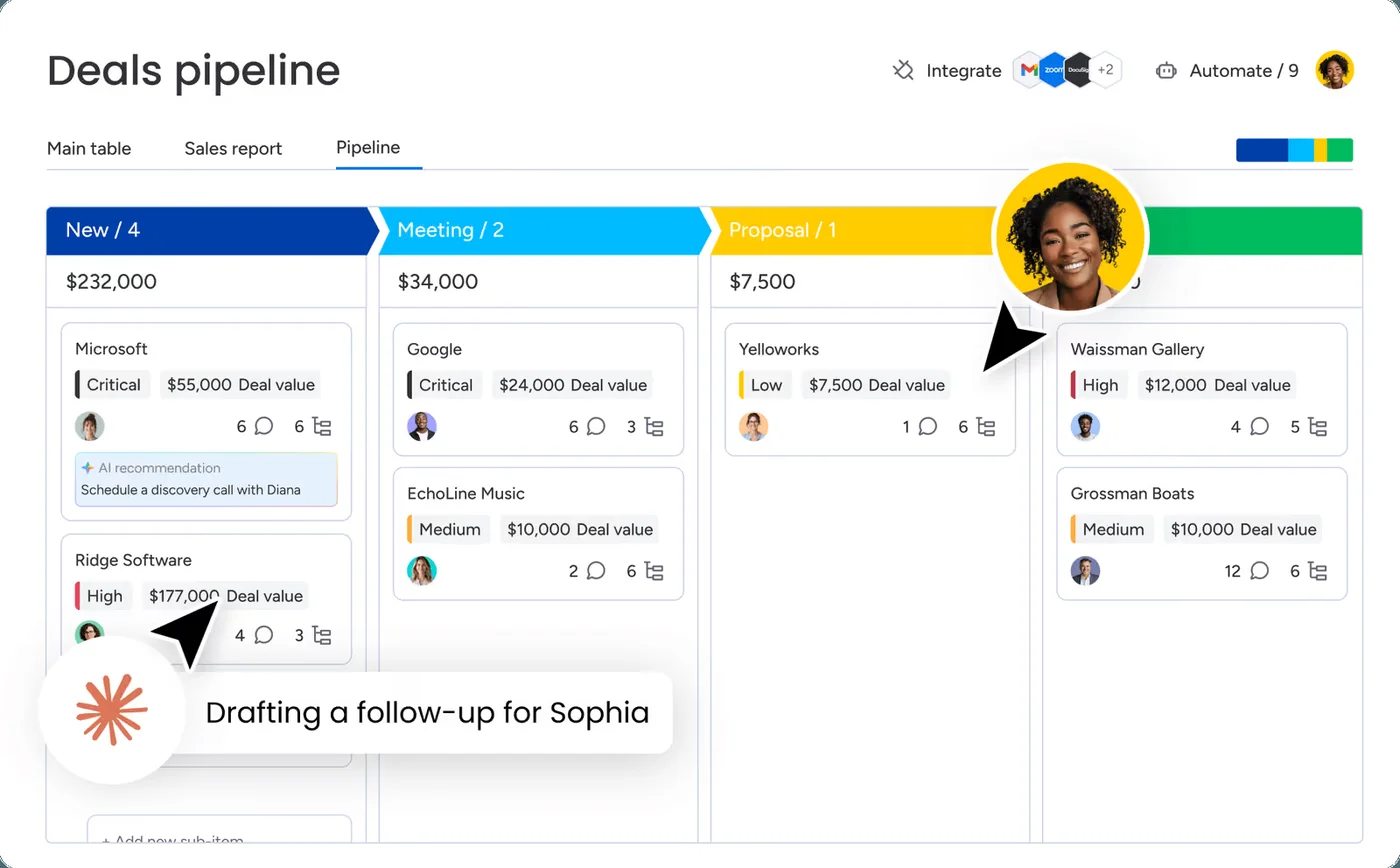 Deals pipeline (rebuilt above)
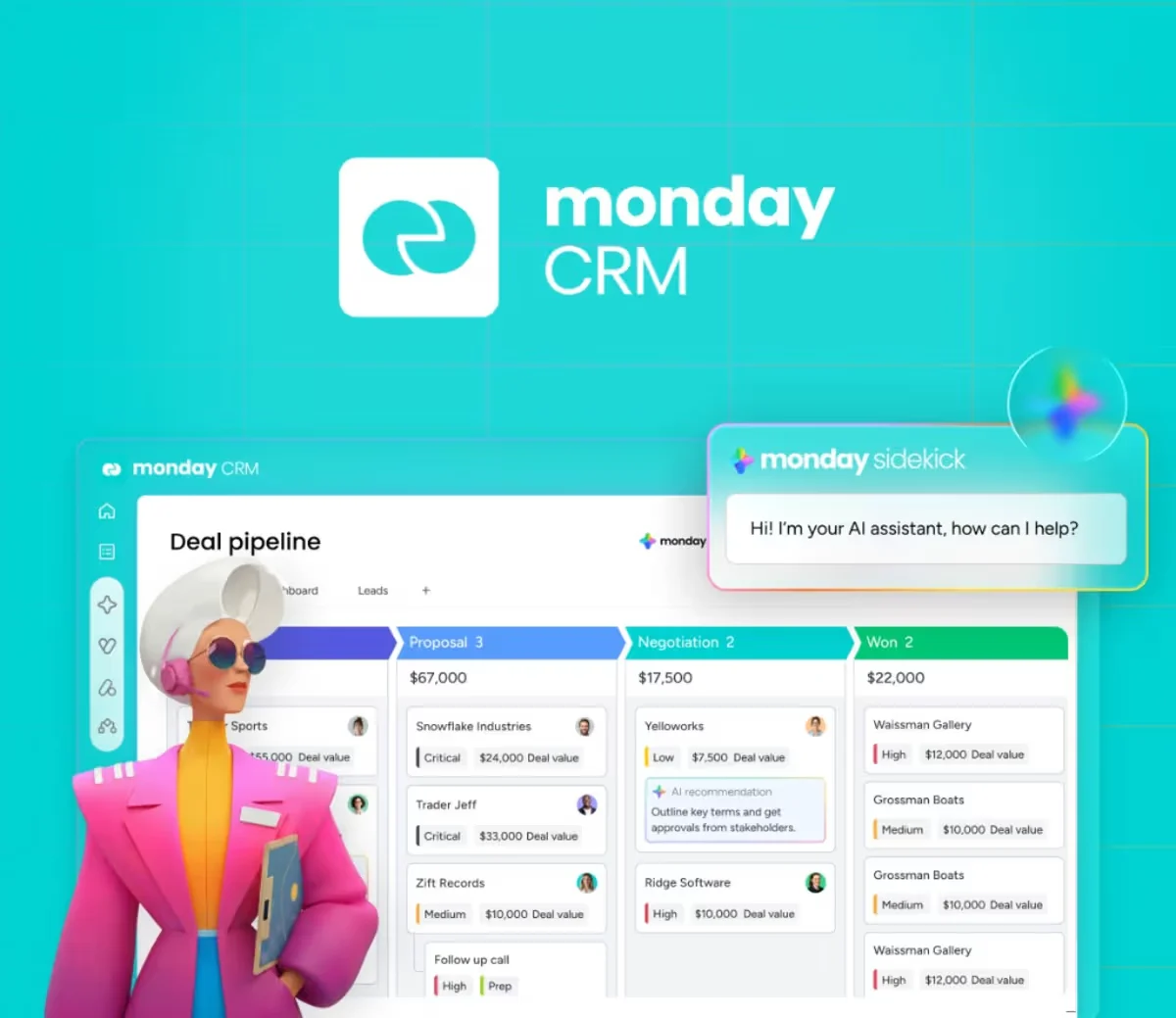 Deal pipeline with Sidekick, monday's AI helper
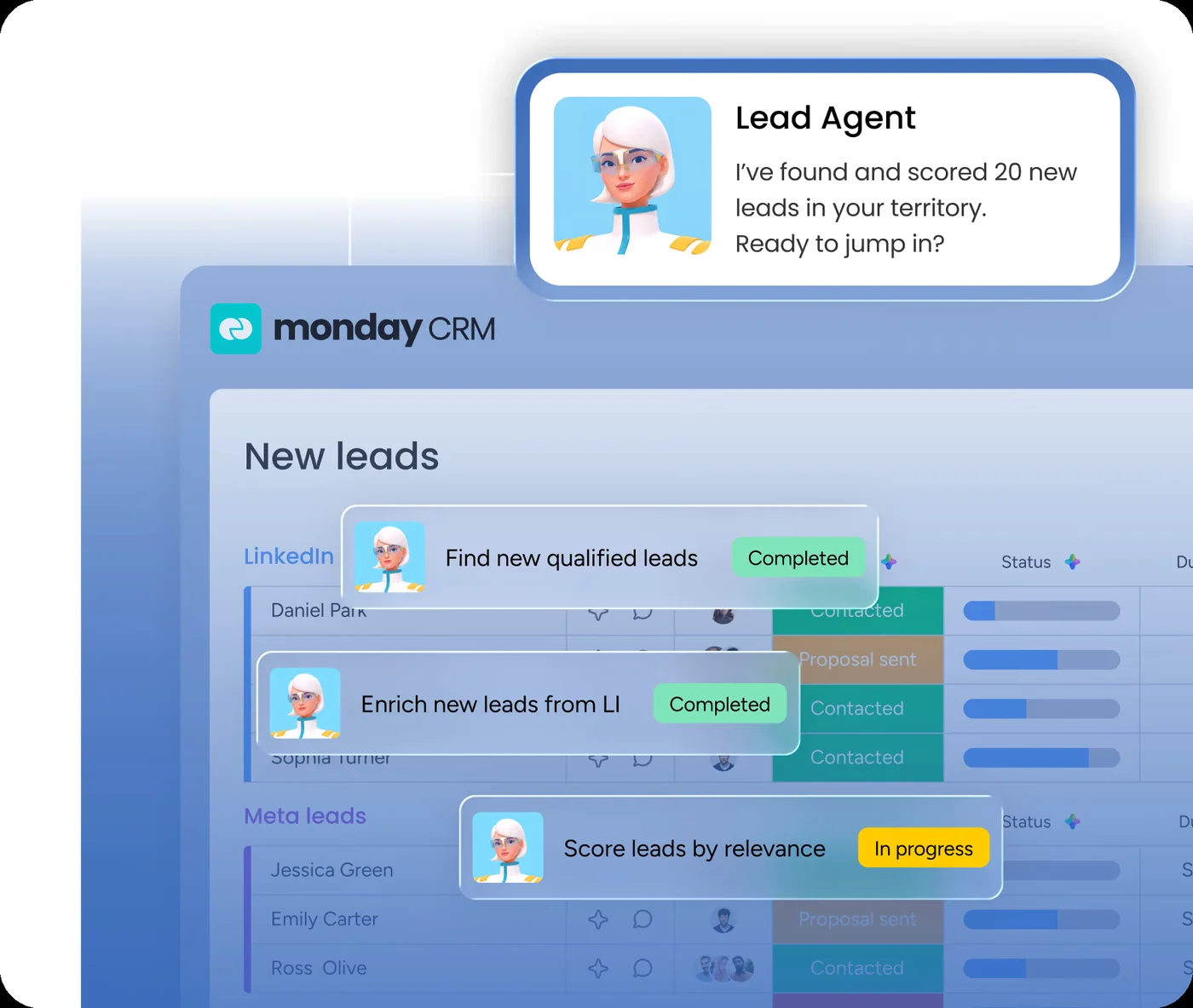 "A pipeline that fills itself": the Lead Agent
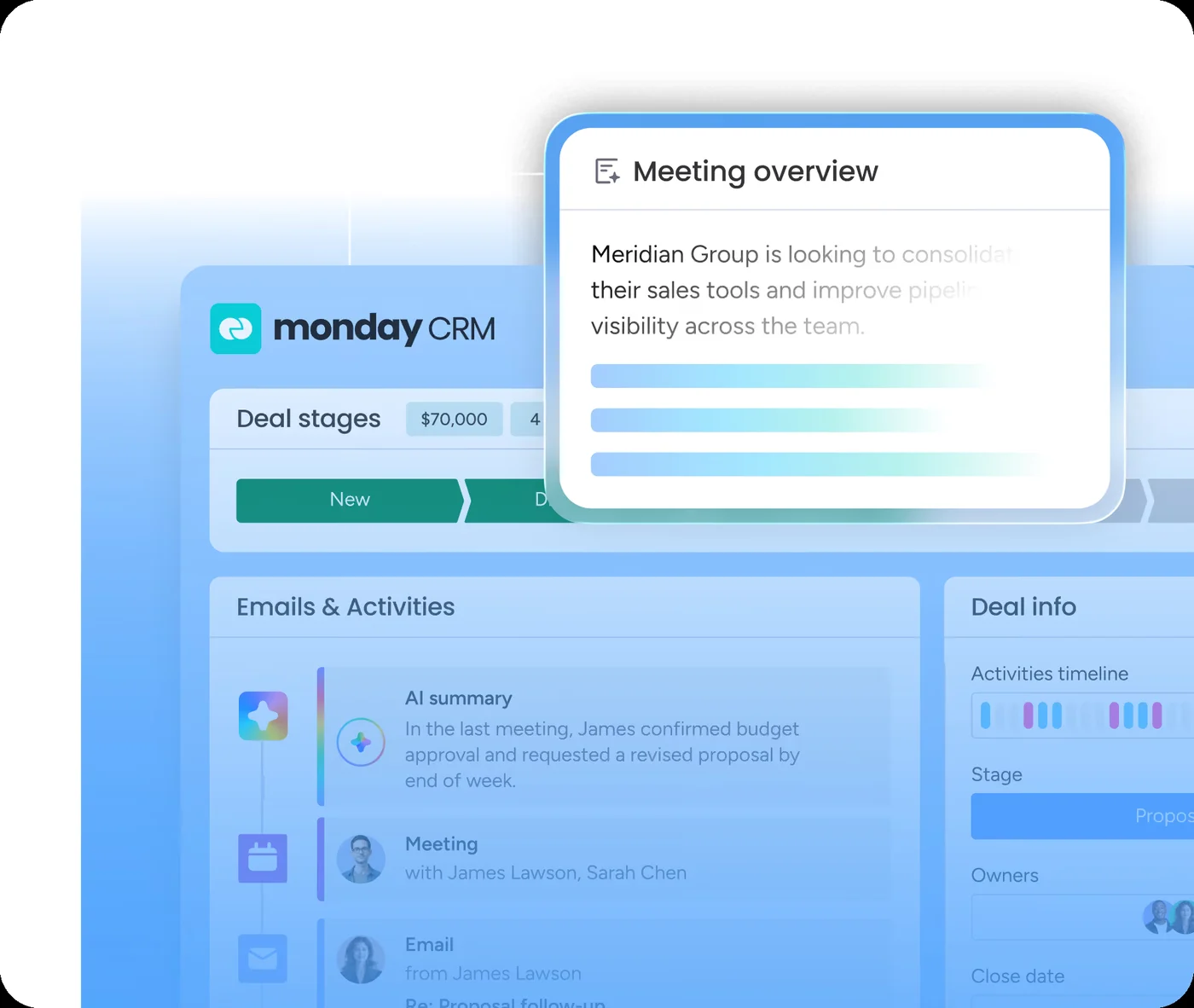 Deal page: stages, Emails & Activities, meeting overview
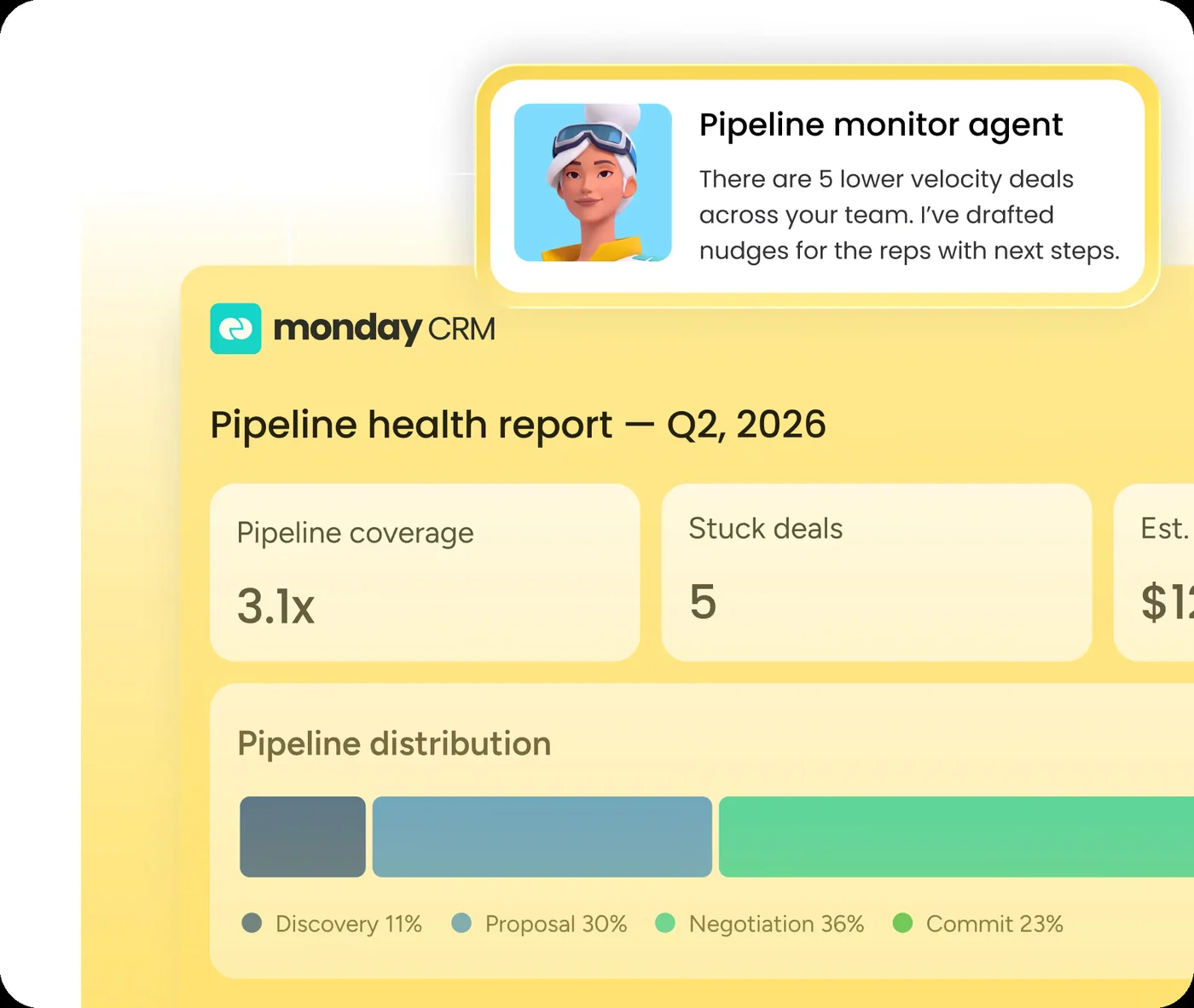 Pipeline health report from an agent
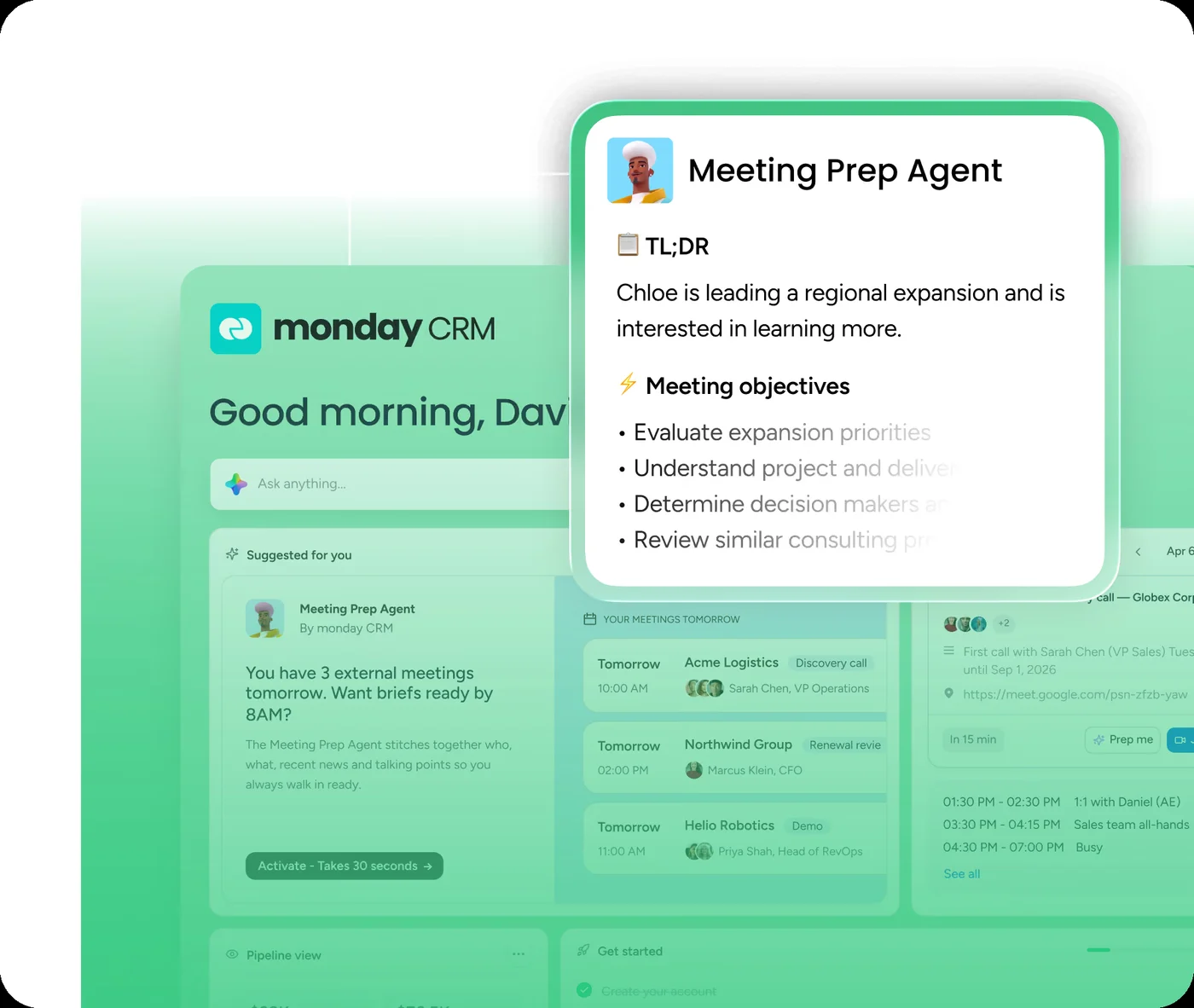 Home with a Meeting Prep Agent
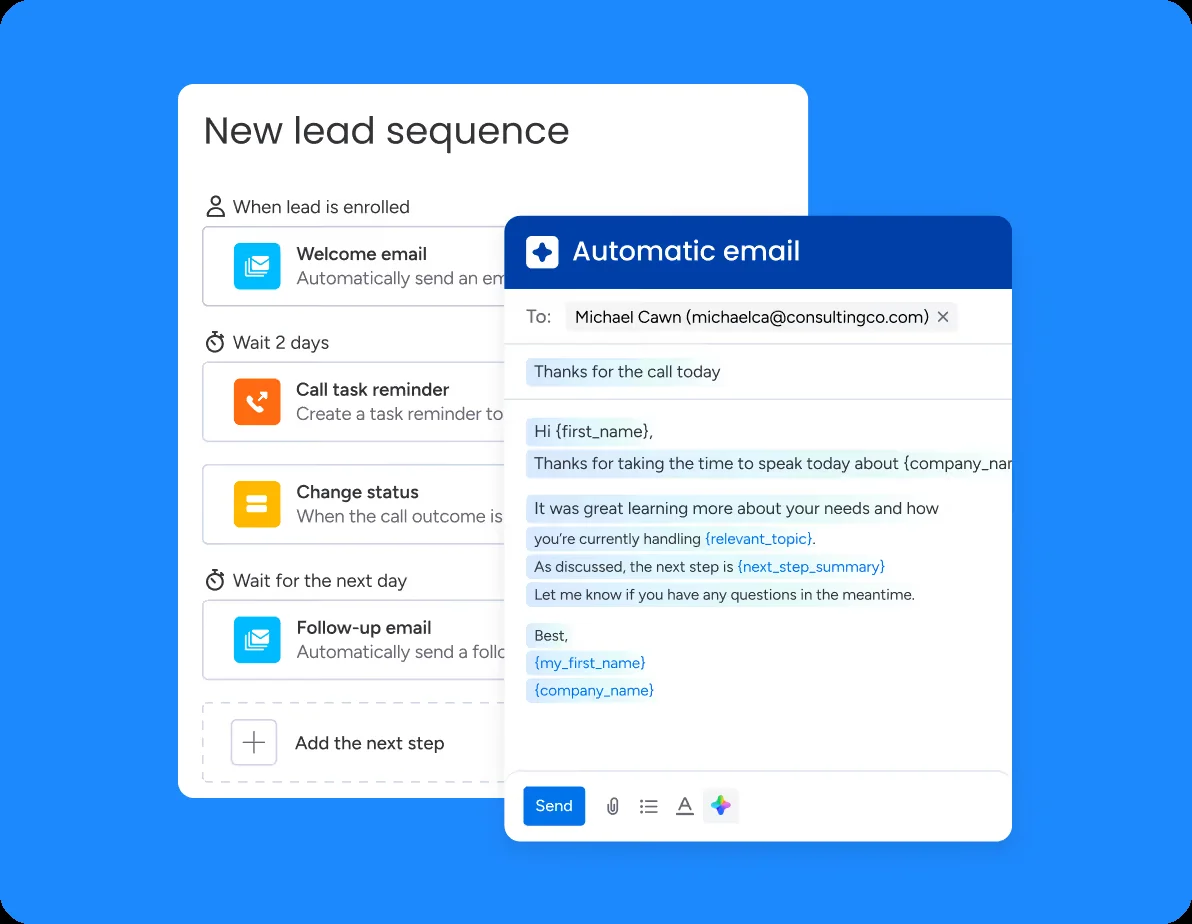 Sequences: emails, call reminders, waits
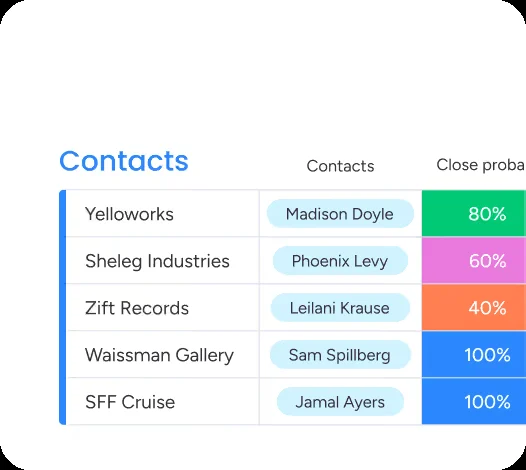 Accounts with contacts and close probability
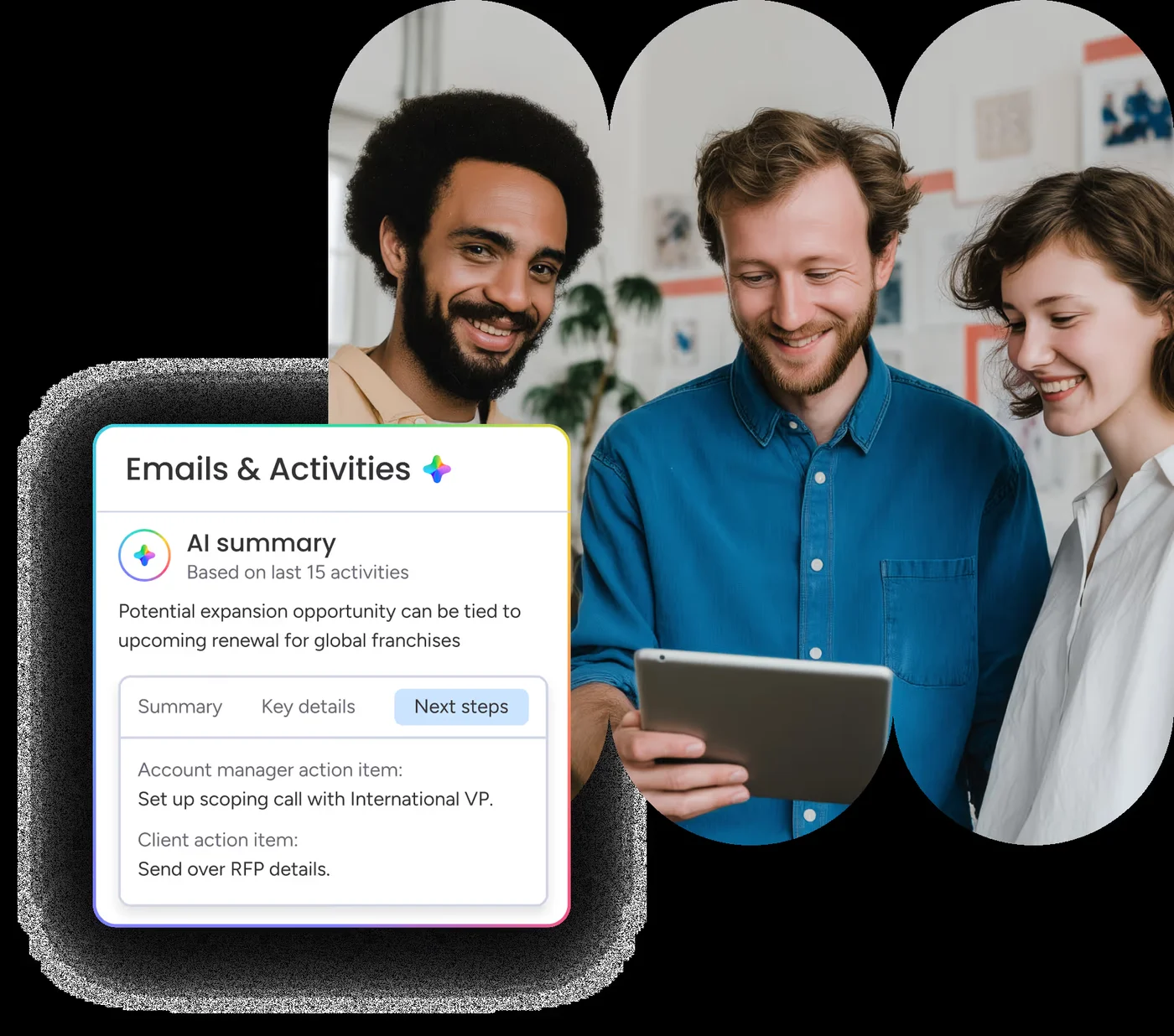 Account management: AI summary card
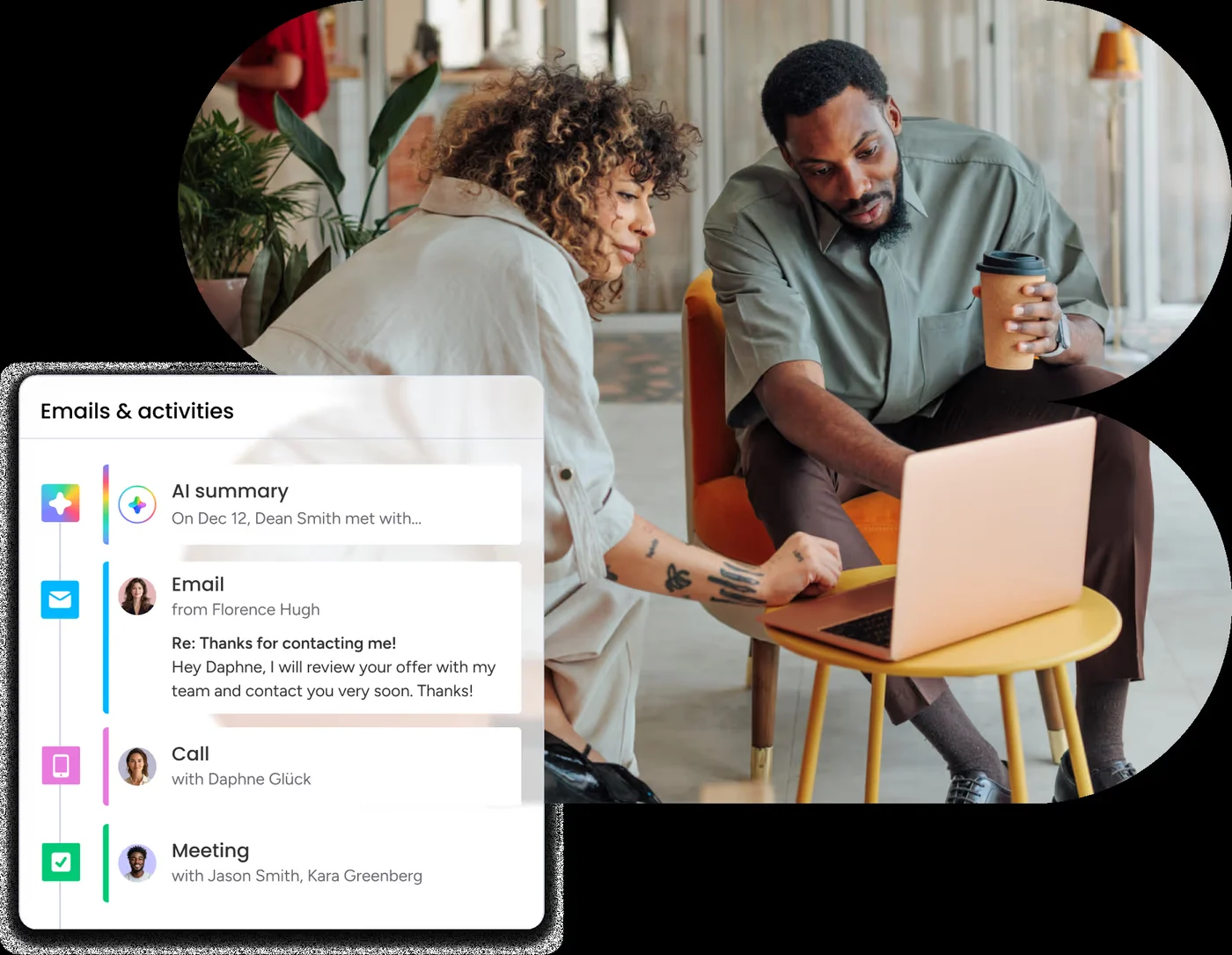 Lead management: activity timeline
 Email tracking: who opened what
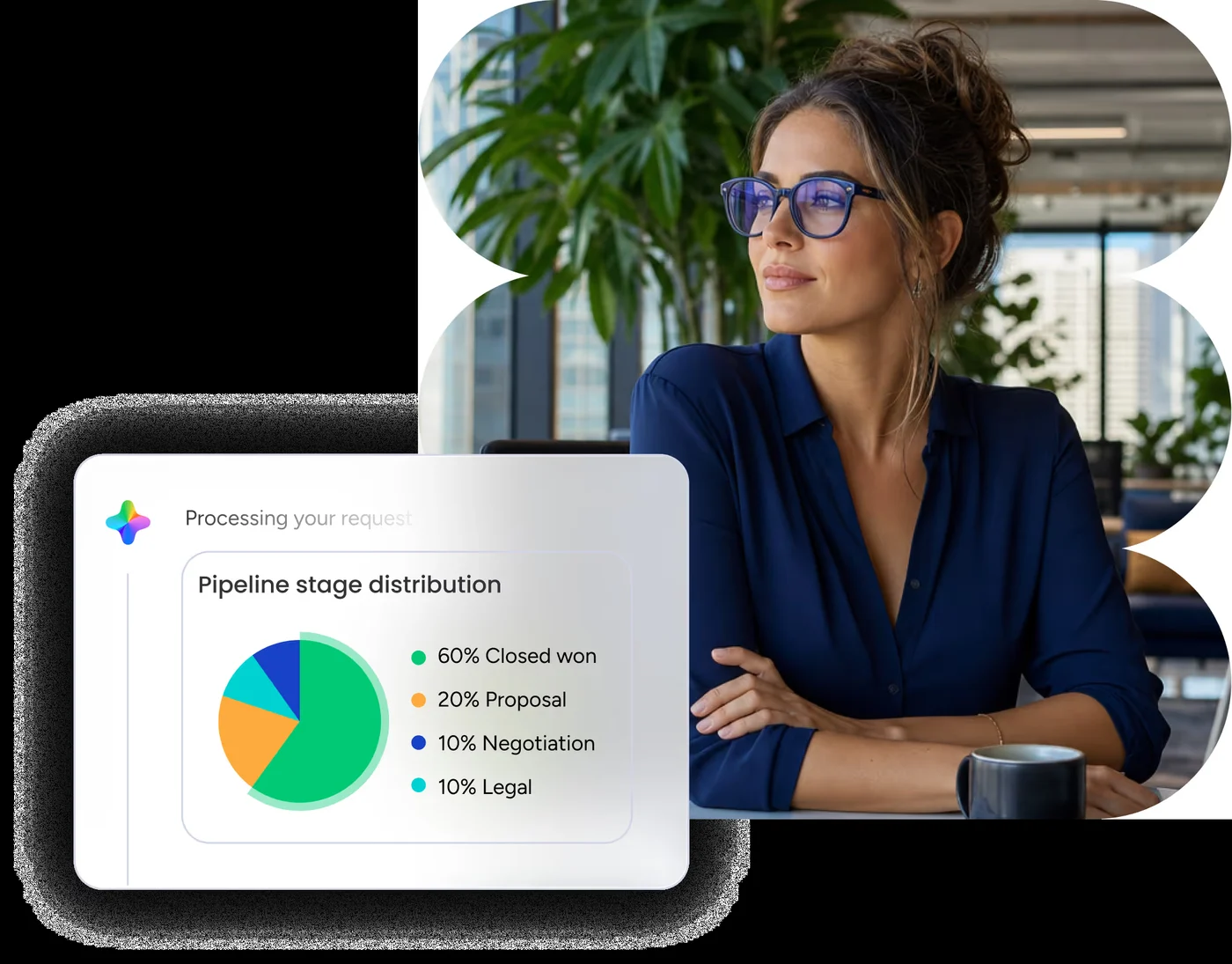 Sales pipeline: stage distribution
The CRM uses every Vibe colour from the monday.com study (main blue #0073EA, text #323338, all status colours). These are the extra colours that make it look like the CRM, measured on monday's pictures.
#DDECF0 top bar (Leads picture: #E0EEF3)#FCFDFE → #E3F0F3, top to bottom#CDE8ED#CBE9EC accounts, deals, titles#0F748F New email, Add widget, tab line#98DFF4 Partner, High in Vital stats#D4E5DB "Existing Account"#E6EAED side-menu section#98DFF4): about 1.6 : 1, far below the 4.5 : 1 needed. This is the same problem as on monday.com, and the reason AltLeads writes chip text in its normal ink colour.Same fonts as monday.com: Poppins for the CRM wordmark, card names and widget titles; Figtree for everything you read. One surprise: the Related accounts table inside the contact card is drawn in Roboto.
36 px rows plus a 1 px line (a 37 px step), centred cells, the name column left-aligned with 36 px space before the name.
Opens almost full screen (30 px from the window edge) over a dark navy wash; 12 px top corners; widgets with 8 px corners.
About 406 px wide on the right, 16 px top-left corner, white fading to #F1F5FF at the bottom.
The parts monday CRM adds on top of Vibe, drawn with monday-crm.css. Buttons, inputs, menus, tabs, toasts and dialogs are the monday.com ones; see the monday.com study.
#DDECF0, teal mark + "monday CRM" (Poppins 600 / 300) · side menu 263 px, 16 px top corners, white to #E3F0F3; rows 34 px with 4 px corners, open board #CDE8ED; a grey "monday AI" section chip; colour icons for AI tools only · main sheet white with a 16 px top-left corner · board header AI Agents (two avatars), Sequences, Import, Sidekick, AI suggestions with a blue "New" tag, Integrate with a Gmail badge, Automate, Agents.#CBE9EC, ink-coloured words, an icon for the kind of record (building = account, $ = deal) · more than fit a "+1" chip · tag pill #CCE5FF with blue words · phone and links in link blue with a country flag.#D4E5DB cell with ink words ("Existing Account") · group colours green for active, red for inactive, blue for new.6 1
1monday's help centre shows monday CRM in light only. monday.com itself has real Dark and Night themes (see the monday.com study), and the CRM uses the same Vibe tokens, so our dark and night copies use Vibe's own dark and black colours and carry the CRM's teal tint into the frame. Use the switch at the top: every copy above changes with it.
Page, cells, text, borders, hover and status colours in dark and night: all Vibe tokens.
The CRM frame in dark (#1F2235 top bar, side menu #292F4C → #23293F), dark chips #2C4A52 and a lighter teal #2A93AD for the card's actions.
Pictures cut from monday's light screenshots (avatars, the products picture) stay light in dark mode.
What monday CRM does well, and where it slips. Each rule names the Law of UX behind it; click the label to read it.
What makes monday CRM feel easy for sales people.
Contacts, leads and deals are boards: rows and columns everyone knows.
A contact shows its accounts and deals as chips; one click opens them.
All emails, meetings and notes about a contact live in one timeline.
The pipeline shows stages left to right with money totals; drag to move a deal.
Finding leads, writing follow-ups and summarising history are handed to AI.
A soft teal frame keeps the screen calm so the sales data stands out.
All 29 laws from lawsofux.com, each checked against what monday's own CRM pictures show. "Not seen" means a picture cannot show it, so we did not guess.
monday CRM is the closest of our studies to what AltLeads does (leads, calls, meetings). Options, not decisions: you choose.
Option: open a lead as a big card over the list, with the call history as a timeline on the left and the key facts pinned on the right.
Option: show a lead's company and booked meeting as small chips in the row, like monday's linked records.
Option: a Kanban view of meetings (Booked, Confirmed, Held, Won) with counts per stage.
Option: a one-line suggested next step on each lead ("Call back Tuesday 10:00"), like the AI recommendation box.
Link the monday.com files plus the CRM file. Put dark-app-theme or black-app-theme on the page for dark or night.
<link rel="stylesheet" href="monday/monday-tokens.css">   <!-- Vibe colours, sizes, letters, movement -->
<link rel="stylesheet" href="monday/monday-vibe.css">     <!-- Vibe buttons, inputs, menus, tabs ... -->
<link rel="stylesheet" href="monday/monday.css">          <!-- board: groups, rows, status cells -->
<link rel="stylesheet" href="monday/monday-crm.css">      <!-- CRM frame, chips, contact card, agent panel, pipeline -->
<script src="monday/monday-icons.js"></script>

<div class="mc"> … <span class="mc-chip">HSBF</span> … </div>
<div class="mc mcd"><article class="mcd-card">…</article></div>
Only real sources. No login, no bot-check bypass. Where we could not see something, the page says so.
OpenDesign-archive/altleads-design-project/design-systems/monday-crm-OLD-generated-2oct.html.